
Download Windows Defender – Free, Built‑in Malware Protection for Windows
Overview
Windows Defender is Microsoft’s free, built‑in malware protection suite that works silently in the background to keep your PC safe from phishing emails, malicious websites, ransomware, and other online threats. Integrated directly into Windows 10 and Windows 11, Defender combines real‑time cloud‑based scanning, a robust firewall, and a smart web‑filtering engine that checks every URL you visit against an ever‑growing list of known bad sites. The program is designed for users who want “set‑and‑forget” security without the performance hit that many third‑party antiviruses impose.
Because it is a native Windows component, Defender receives automatic definition updates through Windows Update, ensuring the latest protection without manual intervention. The solution also respects privacy: data sent to Microsoft’s cloud for analysis can be disabled via the Automatic Sample Submission setting, and no third‑party extensions are installed that could share your browsing habits. In short, Windows Defender offers a balanced mix of convenience, low system impact, and solid threat detection—making it an ideal choice for home users, small businesses, and anyone who prefers a security tool that blends seamlessly with the operating system.
Key Features & What Sets Defender Apart
- Real‑time protection: Continuously monitors files, processes, and network activity for suspicious behavior.
- Cloud‑based threat intelligence: Leverages Microsoft’s massive security network to instantly recognize emerging malware.
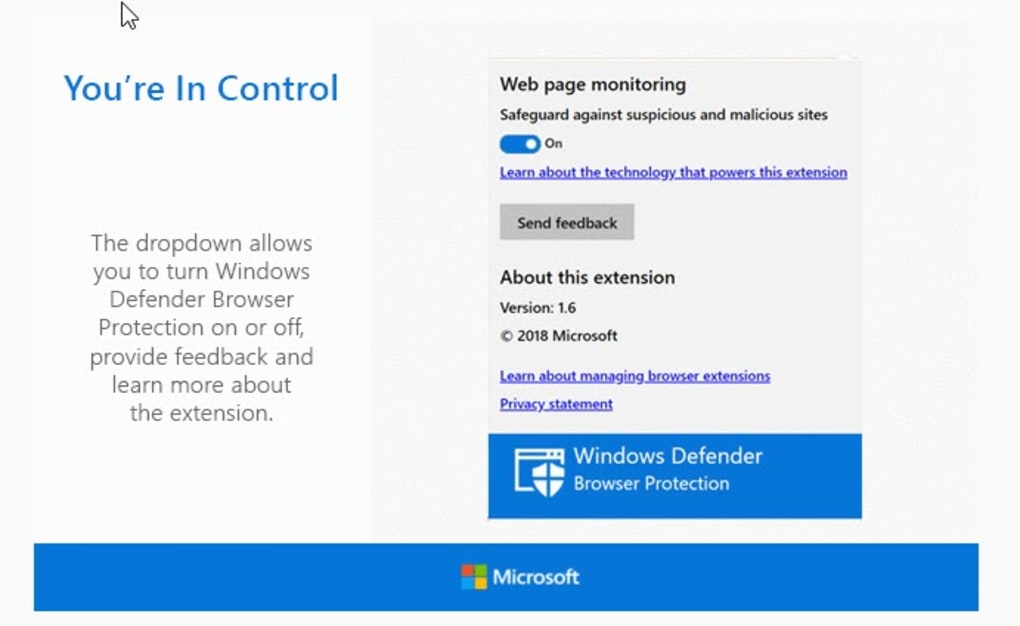
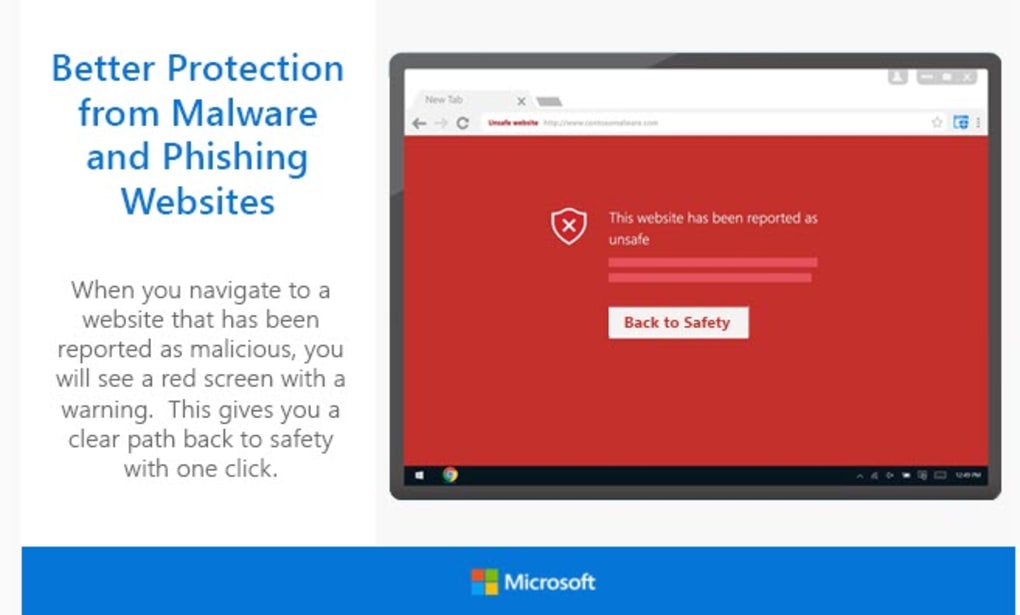
- Smart web filtering: Checks every visited URL against a constantly updated list of malicious sites and blocks phishing attempts.
- Built‑in firewall: Provides inbound and outbound traffic control without requiring a separate product.
- Automatic sample submission (optional): Sends unknown files to Microsoft’s secure labs for analysis; can be turned off for privacy‑focused users.
- Email attachment scanning: Scans all incoming attachments, regardless of the mail client you use.
- Low system impact: Runs in the background with minimal CPU and RAM usage, preserving performance for gaming and productivity.
- Seamless Windows Security Center integration: Centralized dashboard shows health status, alerts, and quick actions.
- Regular definition updates: Daily updates via Windows Update keep the malware database current.
- Free for all Windows users: No subscription fees, licensing hassles, or hidden costs.
Pros
- Completely free and pre‑installed on Windows 10/11.
- Zero‑cost updates via Windows Update keep protection current.
- Minimal performance overhead compared with many third‑party AV solutions.
- Deep integration with the OS simplifies configuration and troubleshooting.
- Strong detection rates in independent AV tests, especially for ransomware and zero‑day threats.
Cons
- Advanced configuration options are limited compared with premium security suites.
- Some users find the multi‑step navigation to start a full scan less intuitive.
- Feature set is focused on Windows; no native macOS, Android, or iOS versions.
- Enterprise‑level management tools require Microsoft 365 or Azure integration.
Installation, Usage & Compatibility
Because Windows Defender ships as part of the operating system, there is no separate installer to download. If you are running Windows 10 (version 1709 or later) or Windows 11, Defender is already active. To ensure it is turned on, open the Windows Security app from the Start menu, then click Virus & threat protection. If the status reads “Protection is on,” you’re ready to go. For users who have previously installed a third‑party antivirus, Windows will automatically disable Defender to avoid conflicts; you can reactivate it by uninstalling the other product or toggling the switch in the Windows Security settings.
Step‑by‑step quick start:
- Press Win + I to open Settings.
- Navigate to Update & Security > Windows Security.
- Click Open Windows Security.
- Select Virus & threat protection and verify that real‑time protection is enabled.
- To run a quick scan, click Quick scan; for a deep scan, choose Scan options then Full scan.
Defender’s cloud‑based scanning works on any Windows device that can connect to the internet. The minimum system requirements are the same as the underlying OS: a 1 GHz processor, 1 GB RAM (32‑bit) or 2 GB RAM (64‑bit), and at least 16 GB of free disk space. Because the software is baked into Windows, there is no separate license key or activation process.
For users who prefer a more granular control over privacy, you can disable Automatic Sample Submission by opening Windows Security > Virus & threat protection > Virus & threat protection settings and toggling off “Automatic sample submission.” This stops the client from sending unknown files to Microsoft’s cloud, while still retaining the core protection engine.
Supported operating systems: Windows 10 (1803 or later) and Windows 11.
FAQ, Review & Conclusion
Is Windows Defender completely free?
Yes. Windows Defender is built into Windows 10 and Windows 11 at no extra cost. You do not need to purchase a license or subscription to access its core protection features.
Can I use Windows Defender alongside another antivirus?
Windows will automatically disable Defender when a third‑party antivirus is installed to prevent conflicts. If you wish to run both, you must manually enable real‑time protection for Defender, but this is not recommended for most users.
How often does Windows Defender receive definition updates?
Updates are delivered daily through Windows Update. Critical threat definitions are pushed instantly when a new zero‑day is discovered.
Does Windows Defender affect system performance?
The solution is engineered for low overhead. In independent benchmarks, Defender typically consumes less than 5 % CPU during idle periods and only spikes briefly during active scans.
Can I turn off cloud‑based protection for privacy reasons?
Yes. The “Automatic sample submission” toggle in the Virus & threat protection settings allows you to stop sending unknown files to Microsoft’s cloud while still keeping local scanning active.
Overall Verdict: Windows Defender delivers reliable, real‑time protection without the cost or performance penalty associated with many commercial antiviruses. Its deep OS integration, regular cloud updates, and intuitive security center make it a solid default choice for most Windows users.
Conclusion & Call to Action
If you’re looking for a hassle‑free, free security solution that works silently in the background while providing strong defense against today’s malware landscape, Windows Defender is the answer. Activate it today via the Windows Security app, run a quick scan to verify your system’s health, and enjoy peace of mind knowing that Microsoft’s cloud‑backed threat intelligence is watching over every click you make. For businesses or power users who need advanced management, consider pairing Defender with Microsoft Defender for Endpoint, but for the average home PC, the built‑in version is more than enough.
Download Windows Defender now and safeguard your digital life with a tool that’s already on your machine.



.png)



